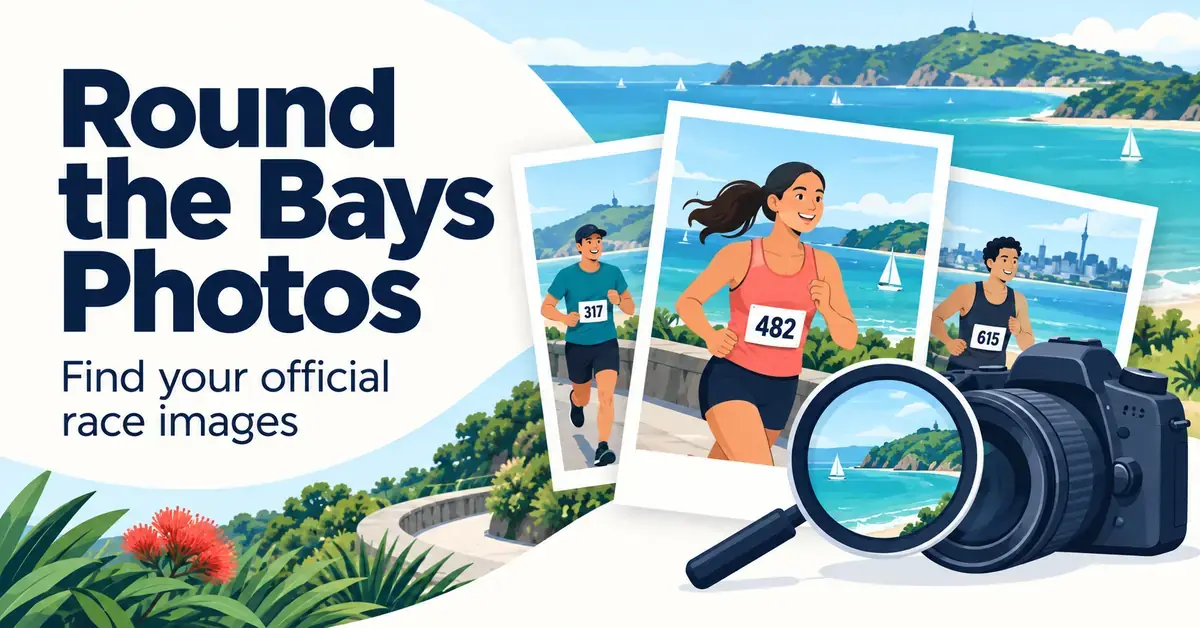
Your official Round the Bays photos are hosted by Marathon Photos Live, the event’s official photography partner, where you can view watermarked previews for free and buy high-resolution downloads or prints. Every year tens of thousands of runners and walkers take part in the Southern Cross Round the Bays events across Auckland, Wellington and Christchurch, and professional photographers capture finishers at multiple points along each coastal course.
This guide explains exactly where to find your images, how to search by bib number, surname or face, what to do when nothing shows up, and how the free previews differ from the paid downloads and prints. If you first want the distances and routes behind each event, see our companion guide on how long Round the Bays is before you go photo-hunting.
Key Points
- Official Round the Bays photos are hosted by Marathon Photos Live (marathonphotos.live), the event’s appointed photographer.
- Viewing watermarked previews is free; high-resolution downloads and prints are paid.
- Search by bib number first, then by surname or face matching if nothing appears.
- If your bib search is empty, check the unidentified gallery and search by time using your watch splits.
- Each city (Auckland, Wellington, Christchurch) and year has its own gallery — confirm you are in the right one.
Where to find your official Round the Bays photos
Official Round the Bays photos live on Marathon Photos Live at marathonphotos.live, the appointed photographer for the Southern Cross Round the Bays series. After each event, the photographers upload thousands of images, which are sorted into a searchable gallery for that specific city and year. You do not need a special account to look — viewing low-resolution, watermarked previews is free for every participant.
The quickest route in is the finisher email the organisers send after race day, which links straight to your gallery. If you did not keep that email, go to the Marathon Photos Live website, open the relevant event (for example “Round the Bays Auckland”) and choose the correct year. Because the platform keeps past events online, you can still track down images from earlier editions long after the race.
Quick Facts
| Official photo partner | Marathon Photos Live (marathonphotos.live) |
| Events covered | Auckland, Wellington and Christchurch |
| Search methods | Bib number, surname, and face matching where offered |
| Cost to view | Free watermarked previews |
| Cost to keep | Paid single images, digital packs and prints |
| Typical availability | Within roughly 24–48 hours of race day |
| Recent dates | Wellington 15 Feb 2026; Christchurch 22 Feb 2026; Auckland returns 7 Mar 2027 |
Which events and years are covered
Round the Bays has run since 1972 and is New Zealand’s largest fun run, drawing more than 30,000 participants in Auckland alone. The 2026 editions have already been held — Wellington on 15 February 2026 and Christchurch on 22 February 2026 — so those galleries now sit in the archive rather than at the top of the site. The next Auckland event is scheduled for 7 March 2027. Whichever edition you ran, your images are stored under that event and year, so always confirm you are in the right city and date before deciding your photos are missing.
How to search for your photos step by step
Searching for your images takes under a minute once you are in the right gallery. Work through these steps on a phone or computer:
- Open the correct gallery. Use the link in your finisher email, or select your city and year on Marathon Photos Live.
- Enter your bib number. Type the number printed on your race bib into the search box — this is the fastest and most reliable method.
- Try your surname. If the bib search returns nothing, search by the surname you registered under.
- Use face search if offered. Where the platform provides face matching, upload a clear selfie and the system finds you automatically — useful if your bib was hidden.
- Preview, then choose a package. Browse your watermarked previews for free, then pick a digital or print option if you want to keep them.
Searching by bib number
Bib-number search is the most accurate way to find your photos because each bib is unique to one runner. The photographers’ software reads the printed number in each frame and files the image under that entry, so a clean, front-facing bib usually pulls up every shot of you in seconds. Keep a note of your number — a quick phone photo of your bib before the start saves you guessing later.
Searching by name
If you cannot remember your bib number, search by the surname on your entry. This is handy for children entered under a parent, or for team members who have forgotten their numbers. Name search can return several people who share a surname, so you may need to scroll to find your own frames.
Using face recognition
Many modern event-photography platforms, including Marathon Photos Live, offer face matching: you upload a clear photo of yourself and the system scans the gallery for frames that match your features. This is the best fallback when your bib was covered by a jacket, a hydration vest or your own arms at the finish. Face search is designed to help you find your own images and does not affect anyone else’s privacy settings.
Why your photos might not appear under your bib
The usual reason a bib search draws a blank is that the camera could not read your number, not that no photo of you exists. A bib folded by the wind, tucked under a layer, pinned to your shorts, or hidden as you raised your arms at the line all stop the automatic reader from filing the image under your entry.
Where to look when the search is empty
- Check the unidentified or unmatched gallery. Frames the software could not tag are grouped together; a few minutes of browsing often turns up your missing shots.
- Search by time. If the platform lets you filter by the time you passed a point, use your running watch splits to jump to the right window.
- Try a different bib format. Enter the number with and without any leading zeros in case the reader logged it differently.
- Give it a little longer. Galleries fill over the hours after the race, so check again later on race day or the next morning.
Where the cameras are on each course
Photographers are stationed at the highest-energy points of every course: the start, one or two scenic stretches along the water, and the finish. Knowing roughly where they stand helps you look up and present your bib as you pass. The table below summarises the typical camera zones for each city.
| Event | Start / early zone | Scenic mid-course | Finish area |
|---|---|---|---|
| Auckland | Quay Street start in the CBD | Tāmaki Drive bays – Ōkahu Bay, Mission Bay | St Heliers / Vellenoweth Green |
| Wellington | Waterfront start near the city | Oriental Parade and Evans Bay | Kilbirnie / event finish |
| Christchurch | Ferrymead (Humphreys Drive) | Marine Parade / New Brighton beach | Near the pier, finishing at Thomson Park |
Round the Bays Auckland photos
The Auckland event is the original and largest, running 8.4 km from Quay Street along Tāmaki Drive to St Heliers. With more than 30,000 people on course, solo shots take a little planning: as you approach a camera, look for a pocket of open space, lift your chin, drop your shoulders and keep your bib facing forward. For the wider Auckland running scene, the Auckland Marathon guide covers the city’s flagship road race.
Round the Bays Wellington photos
The Wellington course traces the harbour edge past Oriental Parade and Evans Bay, giving photographers wide, open backdrops. The capital’s coastal breezes are the main enemy of a clean photo, because wind can flip your bib or fold a jacket over it. Keep your race number flat and visible against the wind. If you are chasing Wellington events more broadly, see our guide to running in Wellington.
Round the Bays Christchurch photos
The Christchurch event is a flat 8.4 km from Ferrymead to New Brighton. Near the coast, runners choose between a scenic route along New Brighton beach and a faster route along Marine Parade; the two rejoin close to the pier before the finish at Thomson Park. Photographers cover the start, the seafront and the finish, so keep your bib clear all the way in. For more Canterbury races, browse our Christchurch running events calendar.
How to look your best in your race photos
A few simple choices make your finisher shots sharper and easier for the software to tag. They cost nothing and take effect the moment you pin on your bib.
Colours and contrast
Bright, solid colours photograph best against dark road surfaces and blue water. Bold blocks such as coral, cyan or yellow help you stand out in a dense start wave, while busy patterns and all-black kit tend to blend into the crowd. This is about visibility on camera, not performance — wear whatever you can run comfortably in.
Pinning your bib
Pin your bib flat and high on the centre of your chest using all four corners so it cannot curl or flap. Avoid mounting it on your shorts, your back or under a hydration strap, and never fold or trim it, because a clean, readable number is what lets the automatic reader file your images correctly.
Photo packages, downloads and prints
Viewing your watermarked previews is free, but keeping clean copies is a paid purchase. Marathon Photos Live offers a range of products, and understanding the difference helps you buy only what you need rather than the largest bundle by default.
- Single digital image: one full-resolution, watermark-free file — the cheapest option if you only love one shot.
- Digital pack: every photo of you from the event in high resolution, best value if the cameras caught you several times. Digital packs are often discounted for a limited window after the race.
- Finisher or certificate images: a photo overlaid with your event, and sometimes your time, made for social sharing.
- Physical prints: professionally printed photos posted to your address, available in several sizes.
Digital purchases arrive as secure download links, so you can save them across your devices. Prices change per event and over time, so check the current options in your own gallery rather than relying on a figure quoted elsewhere. The difference between file resolutions matters: a small file is fine for a phone or social post, while a large print needs the full-resolution version. If you are unsure which file size suits a large print, the same principle as choosing image detail on Wikipedia applies — bigger prints need higher-resolution files.
What you can do with your images for free
Even without buying, you can share your race day online. Most galleries let you share a watermarked preview straight to social media, and some offer a free finisher image with your event details overlaid. The watermark stays on any free version, so if you want a clean copy for framing or a profile photo you will need to buy the corresponding digital file. Read the licence shown at checkout: personal use is standard, while commercial use of an image usually needs separate permission.
Group, team and corporate photos
Round the Bays is a hugely popular workplace and club event, so many finishers appear in group shots as well as solo frames. If your team ran together, search each member’s bib number separately, because a single photo of the whole group is filed under every readable bib in the frame. That means the same team photo can show up in several people’s galleries.
Finding shots of your whole group
To gather every team image, have each person note their bib number before the start and share them afterwards, then run each number through the gallery and collect the frames you all appear in. Corporate entrants and large clubs can also ask the organisers or Marathon Photos Live about bulk or team photo options, which pull multiple entrants’ galleries together. Because group frames rely on at least one clear bib, it helps if the tallest or front runners keep their numbers visible as you pass a camera.
Common mistakes when hunting for race photos
Most people who “can’t find” their photos are simply searching the wrong way. Avoid these frequent errors:
- Looking in the wrong event or year. Auckland, Wellington and Christchurch each have their own gallery — confirm the city and date first.
- Giving up after the bib search. If nothing appears, try your surname, face search and the unidentified gallery before assuming there are no photos.
- Searching too soon. Galleries build over several hours; check back later the same day.
- Buying the biggest pack out of habit. If the cameras only caught you once, a single image costs far less than a full pack.
- Forgetting your bib number. Photograph your bib before the start so you can search instantly afterwards.
Round the Bays is one of many events on the national calendar; if photo-hunting has you planning your next start line, our New Zealand running calendar lists confirmed 2026 dates.
Sources
Frequently Asked Questions (FAQ)
Where can I find my official Round the Bays photos?
Your photos are on Marathon Photos Live at marathonphotos.live, the event’s official photography partner. Open the gallery for your city and year, or use the link in the finisher email the organisers send after race day. Viewing watermarked previews is free.
How do I search for my images?
Enter the bib number printed on your race number into the search box — this is the most reliable method. If that returns nothing, search by the surname you registered under, or use face matching where it is offered by uploading a clear selfie so the system can find you automatically.
Why aren’t any photos showing under my bib number?
Usually the camera could not read your number because it was folded, covered by a jacket or vest, or hidden as you raised your arms at the finish. Check the unidentified gallery, search by time using your watch splits, and try your bib number with and without leading zeros before assuming no photo exists.
Are Round the Bays photos free to download?
Viewing low-resolution, watermarked previews is free for every participant. Downloading high-resolution, watermark-free files or ordering physical prints is a paid purchase through Marathon Photos Live, with single images, digital packs and print options at prices that vary by event.
How long do the galleries stay online?
Marathon Photos Live keeps past events available for years, so you can usually still find and buy images from earlier editions long after race day. The 2026 Wellington and Christchurch galleries, for example, remain searchable even though those events have already been held.